The SABRENT Dual-Bay USB-C Hard Drive Docking Station & Cloner review is for anyone who wants a straightforward way to work with two 2.5-inch or 3.5-inch SATA drives.
Its combination of simultaneous access and offline cloning makes it useful for drive maintenance, transfers, and straightforward duplication tasks.
SABRENT EC-CH2B Review Summary
The quick verdict

1,000+ ratings
Read Amazon ReviewsSABRENT EC-CH2B Dual-Bay USB-C Docking Station
A practical fit for users who access two SATA drives at once or want to clone drives offline without a computer.
- Two-bay layout supports reading and writing two hard drives simultaneously.
- Offline cloning copies a drive directly to another drive, with cloning support up to 60MBps.
- USB 3.0 host connection supports transfer rates up to 5Gbps.
- Compatible with 2.5-inch and 3.5-inch SATA hard drives.

Pros
- Combines computer-connected drive access and offline cloning in one dock.
- Two drive bays support simultaneous reading and writing.
Consider before buying
- The stated USB 3.0 link rate is up to 5Gbps; buyers prioritizing a higher connection-rate ceiling should compare docks built around faster interfaces.
- Offline cloning is listed at up to 60MBps, so a large drive copy may take time; the maximum is not a guarantee of the speed you will see.
Read the full review summary
The EC-CH2B puts two drive bays in one tool-free dock, so you can read from and write to two compatible SATA hard drives at the same time.
A USB 3.0 connection supports transfer speeds up to 5Gbps, while offline cloning allows a direct drive-to-drive copy without relying on a computer for the cloning process.
It suits home users, technicians, and small offices that handle loose 2.5-inch or 3.5-inch SATA drives and value a single dock for both computer-connected work and cloning.
The design is less compelling if you need a multi-drive archive station, a dock specifically for M.2 storage, or a higher stated USB link speed.
The buying factors
SABRENT EC-CH2B Scorecard
Editorial scores reflect listed features and buyer fit; they are not laboratory measurements or customer ratings.
Drive flexibility
Accommodates both 2.5-inch and 3.5-inch SATA hard drives, covering two common drive sizes.
Two-drive access
The dock is designed to read and write two hard drives simultaneously.
Offline cloning
A direct clone mode can copy between drives without using a computer, with cloning support listed up to 60MBps.
Connection speed
USB 3.0 offers a stated maximum of 5Gbps, though that is a connection-rate ceiling rather than a promise of real-world drive speed.
Ease of setup
Tool-free installation, plug-and-play operation, and hot swapping keep routine drive access simple.
Capacity headroom
Support for drives up to 20+TB gives the dock room for large-capacity drives.
Key Features and Specifications of SABRENT EC-CH2B
- Two-bay layout supports reading and writing two hard drives simultaneously.
- Offline cloning copies a drive directly to another drive, with cloning support up to 60MBps.
- USB 3.0 host connection supports transfer rates up to 5Gbps.
- Compatible with 2.5-inch and 3.5-inch SATA hard drives.
- Supports drives up to 20+TB.
- Tool-free installation, plug-and-play setup, hot swapping, and an HDD access LED indicator.
- Works with Windows and Mac OS.
Pros and Cons of SABRENT EC-CH2B
Pros
- Combines computer-connected drive access and offline cloning in one dock.
- Two drive bays support simultaneous reading and writing.
- Works with both common 2.5-inch and 3.5-inch SATA hard drive sizes.
- Tool-free installation and hot swapping simplify switching between compatible drives.
- The listed capacity support reaches 20+TB.
Consider before buying
- The stated USB 3.0 link rate is up to 5Gbps; buyers prioritizing a higher connection-rate ceiling should compare docks built around faster interfaces.
- Offline cloning is listed at up to 60MBps, so a large drive copy may take time; the maximum is not a guarantee of the speed you will see.
- This is designed for 2.5-inch and 3.5-inch SATA hard drives, so confirm your drive's interface and form factor before buying.
Who Should Buy SABRENT EC-CH2B?
Good fit
Consider the EC-CH2B if you regularly handle loose SATA hard drives and want one dock to make them accessible to a computer or copy one drive to another without a computer.
Its two-bay arrangement is especially practical when the source and destination need to be connected at once.
It also makes sense for users who prefer a tool-free workflow and switch drives often.
Check that your drives are 2.5-inch or 3.5-inch SATA models, and plan around the listed cloning ceiling of up to 60MBps if you expect to duplicate a large capacity drive.
Who should skip it
Choose a different kind of dock if your drives are M.2, or if you need a station that holds more than two drives at once.
Also compare options with a higher USB connection-rate ceiling if that is a priority for your setup.
How the SABRENT EC-CH2B Fits a Two-Drive Workflow
Two bays make drive-to-drive work simpler
Having two drives available in one dock reduces the need to swap a source and destination during routine work.
That layout supports simultaneous reading and writing, which is useful when moving files between drives or accessing both from a connected computer.
Offline cloning keeps the computer out of the copy process
The clone function is intended for direct drive-to-drive copying without a computer. That can simplify a basic replacement or duplication workflow, but the listed maximum of 60MBps means copy time deserves consideration when working with large drives.
USB 3.0 sets a clear connection ceiling
The dock's USB 3.0 connection is specified for speeds up to 5Gbps. That figure describes the interface's maximum rate, not a measured transfer speed; drive performance and the work being done affect the result.
Check the drive format before choosing
Support for 2.5-inch and 3.5-inch SATA hard drives covers common desktop and laptop hard drive formats.
The stated 20+TB capacity support offers room for large drives, while checking the physical size and SATA interface of each drive helps ensure a suitable match.
Alternatives to SABRENT EC-CH2B
Hard Drive Docking Stations alternative

17,000+ ratings
Read Amazon ReviewsSABRENT DS-U3B4 4-Bay USB 3.0 Docking Station
Consider the DS-U3B4 if managing as many as four installed drives is more important than a two-bay footprint. The EC-CH2B is the simpler fit when two bays meet your needs.
- The DS-U3B4 accommodates up to four 2.5-inch or 3.5-inch SATA drives, connects over USB 3.0, and provides offline cloning with LED progress indicators.
- The EC-CH2B provides two bays for simultaneous drive access and offline cloning, with a USB 3.0 connection supporting up to 5Gbps.
Hard Drive Docking Stations alternative
17,000+ ratings
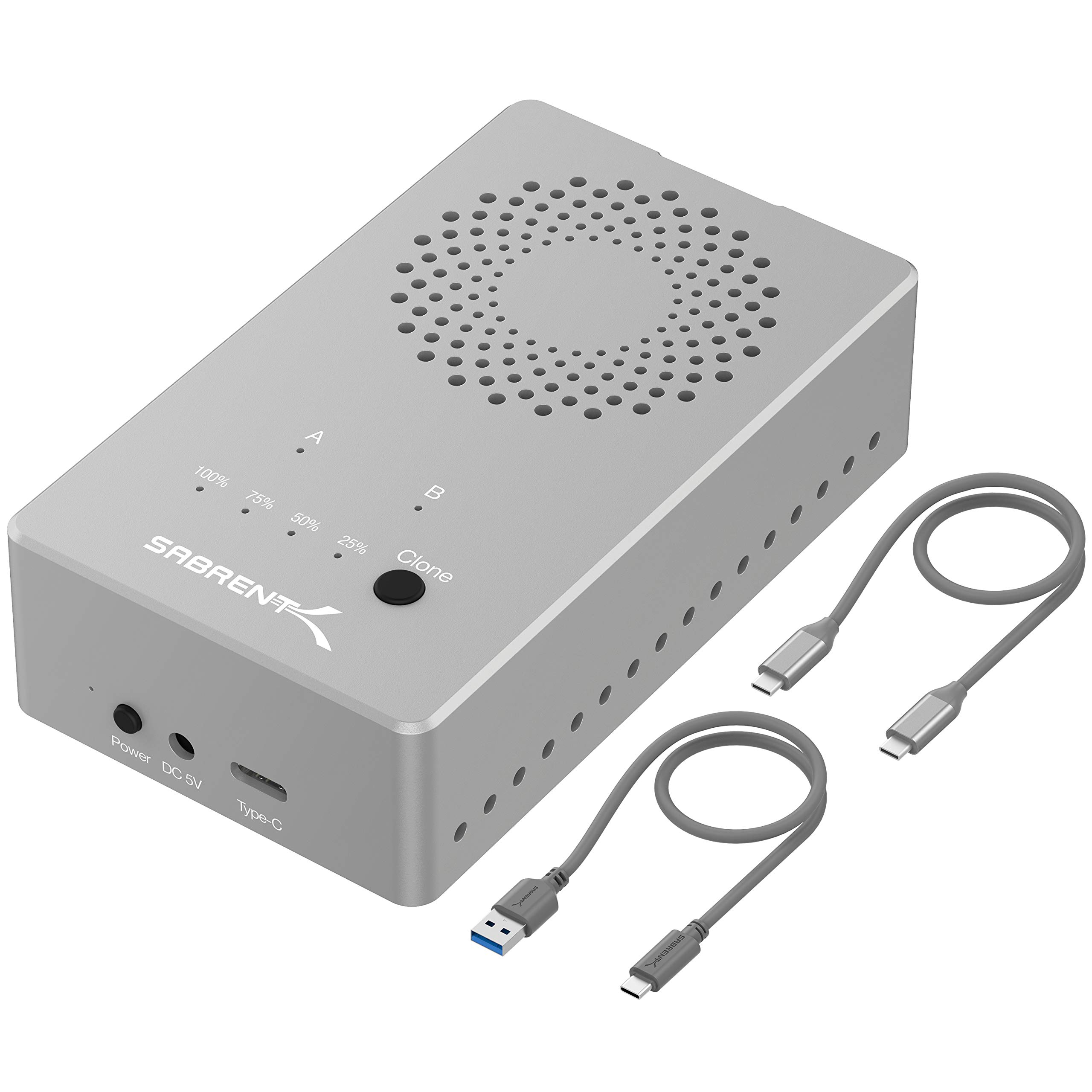
Read Amazon ReviewsSABRENT EC-SSD2 Dual-Bay USB-C NVMe M.2 SSD Cloner
Choose the EC-SSD2 if your drives are compatible NVMe M.2 SSDs and its higher USB 3.2 rate suits your workflow. The EC-CH2B is the appropriate match for the listed 2.5-inch or 3.5-inch SATA hard drives.
- The EC-SSD2 is a dual-bay dock for NVMe M.2 SSDs in 2230, 2242, 2260, and 2280 sizes.
- It supports USB 3.2 speeds up to 10Gbps and offline cloning, but is not compatible with regular M.2 SATA or AHCI SSDs.
- The EC-CH2B is made for 2.5-inch and 3.5-inch SATA hard drives, with USB 3.0 supporting up to 5Gbps and offline cloning.
Is SABRENT EC-CH2B Worth It?
The SABRENT EC-CH2B is worth considering if you need a two-drive SATA dock that can handle both connected access and offline cloning.
Its tool-free setup, broad hard drive size support, and capacity headroom make it a versatile fit for home or light workbench use.
Buy it when those functions match your drives and a USB 3.0 connection is sufficient for your workflow. If you need four bays, NVMe support, or a faster stated interface, compare a dock designed around that specific requirement.
Your review at a glance
1,000+ ratings
Read Amazon ReviewsSABRENT EC-CH2B Dual-Bay USB-C Docking Station
A practical fit for users who access two SATA drives at once or want to clone drives offline without a computer.
- Two-bay layout supports reading and writing two hard drives simultaneously.
- Offline cloning copies a drive directly to another drive, with cloning support up to 60MBps.
- USB 3.0 host connection supports transfer rates up to 5Gbps.
- Compatible with 2.5-inch and 3.5-inch SATA hard drives.